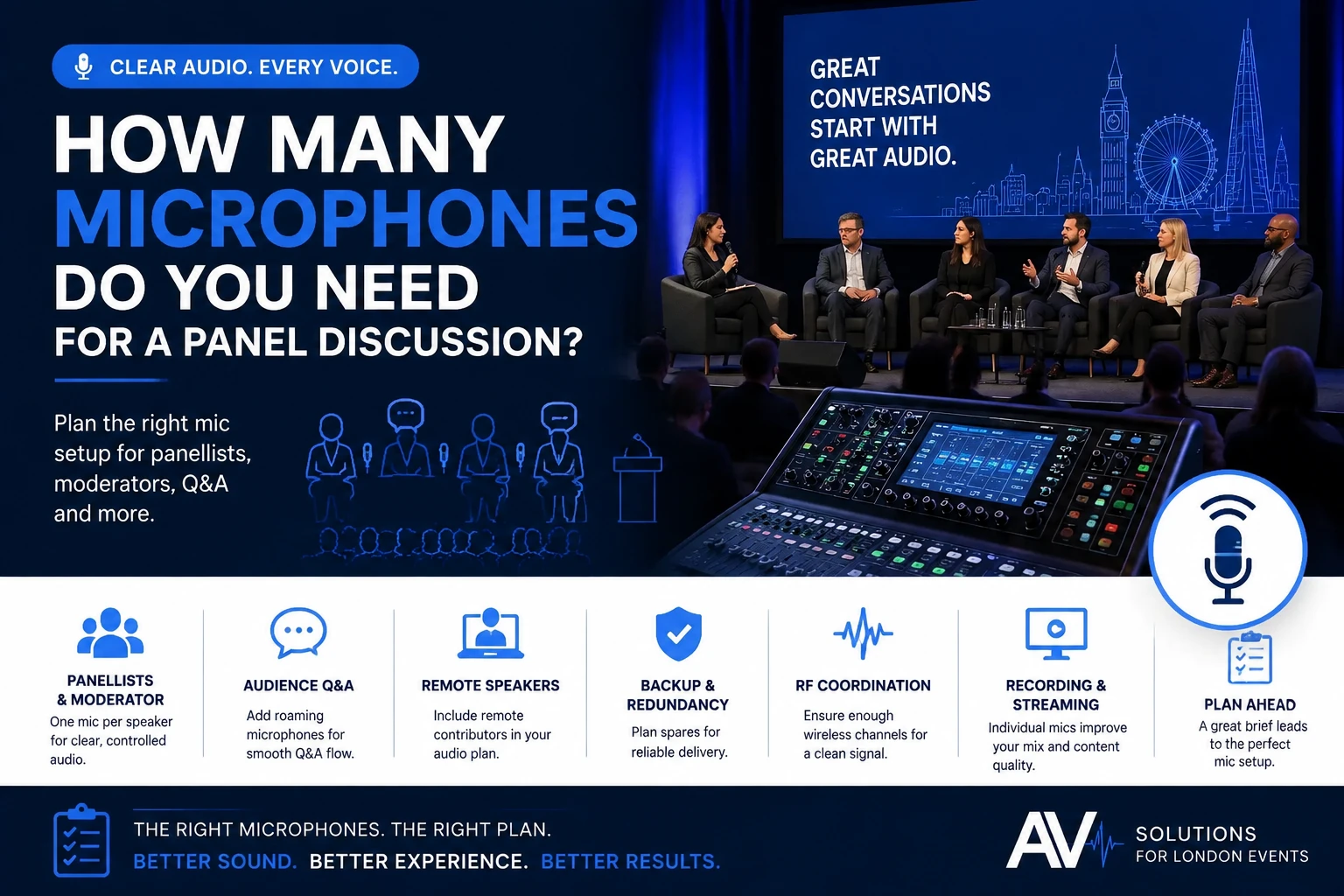
A six-person panel does not automatically need six microphones.
There may also be a moderator. Audience questions may need two roaming handhelds. A speaker may join remotely. The opening presenter may use a lectern. And if all the stage microphones are wireless, the audio team also needs enough compatible RF channels to operate them reliably.
So the useful question is not simply:
How many people are sitting on the panel?
It is:
How many speaking positions need to work, how will people move between them, and which microphones must be live at the same time?
For many professional conferences, providing a dedicated microphone for every panellist and the moderator gives the audio engineer the most control and avoids microphones being passed around during a fast conversation.
But it is a starting point, not a universal formula.
What is the basic microphone count for a panel discussion?
Start by counting every person who needs to speak on stage, including the moderator. Then add any separate audience Q&A, lectern or other speaking positions.
A simple calculation might look like this:
Panellists + moderator + audience Q&A + other speaking positions = working microphone requirement
For example:
| Panel format | Possible starting point |
| 3 panellists + moderator | 4-stage microphones |
| 4 panellists + moderator | 5-stage microphones |
| 6 panellists + moderator | 7 stage microphones |
| 6 panellists + moderator + Q&A | 7 stage microphones + 1–2 audience microphones |
| Panel + lectern introduction | Panel microphones + 1 lectern/presenter microphone |
| Hybrid panel | In-room microphones + remote audio input |
These are planning examples rather than fixed specifications.
Your audio supplier should confirm the final microphone and channel count after reviewing the running order, room, PA design and other wireless equipment in use.
Why does a six-person panel sometimes need eight or nine microphones?
Because microphone planning should include every speaking function around the panel, not only the people labelled as panellists.
Imagine a London conference with:
- Six panellists
- One moderator
- Audience Q&A
- One opening presenter
A practical input plan might therefore include:
6 panellist microphones
+ 1 moderator microphone
+ 2 Q&A handheld microphones
+ 1 presenter or lectern microphone
That creates ten possible microphone inputs before considering backup equipment.
Not every microphone must necessarily operate simultaneously, but the production team still needs to plan how each part of the session will work.
This is where the running order becomes much more useful than the delegate count.
Should every panellist have their own microphone?
For a professional discussion where speakers respond freely to one another, a dedicated microphone for each panellist is often the most practical approach.
It allows the audio engineer to control each voice independently.
That matters because people:
- Speak at different volumes
- Sit at different distances from the microphones
- Interrupt each other
- Turn their heads while speaking
- Laugh or respond between questions
- May contribute unexpectedly
With dedicated inputs, the operator can manage those differences without asking speakers to pass equipment around.
Shure’s guidance on conference systems supports the use of multiple microphone formats for panels and meeting environments, including handheld, bodypack, boundary and gooseneck options.
The best format still depends on the room and how the session is being run.
Can panellists share microphones?
Yes, microphones can be shared, but doing so changes the flow of the discussion and should be a deliberate production decision rather than an automatic cost-saving measure.
Sharing may work for:
- Informal discussions
- Very structured question-and-answer formats
- Small panels
- Sessions where speakers contribute one at a time
- Events where microphone channels are intentionally limited
It becomes less suitable when:
- Panellists frequently respond to one another
- People interrupt naturally
- The moderator moves quickly between speakers
- The panel is recorded
- The event is streamed
- Accurate captions or transcriptions are important
Consider a five-person panel discussing a controversial issue in the industry.
If two people respond quickly to one another while a handheld microphone is still being passed across the stage, the audience may not hear the beginning of either answer clearly.
The equipment has started dictating the conversation.
That is usually the wrong way round.
Practitioner insight: optimise for conversation flow, not microphone quantity
A microphone plan should allow the panel to behave naturally.
Reducing six microphones to three may look efficient on the equipment list, but it can make the session more difficult to moderate and mix.
The relevant question is:
Can everyone contribute when the discussion requires it, without creating avoidable audio gaps?
Do you count the moderator separately?
Yes. The moderator normally needs their own microphone because they are an active participant in the session rather than simply someone who introduces it.
The moderator may need to:
- Introduce panellists
- Ask questions
- Interrupt or redirect discussion
- Manage timings
- Introduce audience Q&A
- Speak while a panellist is still finishing
- Move around the stage
Sharing a panellist’s microphone with the moderator can therefore make the session awkward.
If the moderator moves between the stage and audience, microphone choice becomes especially important.
A wireless handheld may give them flexibility. In other formats, a lapel or headset plus separate audience microphones may work better.
How many microphones do you need for audience Q&A?
Audience Q&A usually needs at least one dedicated method for getting questions into the PA, recording and stream, with two roaming microphones often useful in larger rooms.
There are several workable approaches.
One roaming handheld
Suitable where:
- The audience is relatively small
- Q&A is short
- One microphone runner can reach questioners quickly
Two roaming handhelds
Useful where:
- The room is wider
- There are several seating blocks
- Q&A is a substantial part of the programme
- The moderator wants the next question ready quickly
While one attendee is asking a question, the second runner can move towards the next.
Fixed aisle microphones
These can work where delegates are comfortable leaving their seats and the room layout provides sensible locations.
Shure’s professional audio guidance identifies bringing a microphone to the audience member or providing a fixed microphone position as practical ways of handling questions during panel discussions.
Common mistake: assuming the room microphones will pick up audience questions
A person asking a question from row 12 should not be expected to “just speak loudly”.
The question may need to reach:
- The room PA
- Panellists
- Recording
- Remote viewers
- Captions
- A remote speaker
Give the audience Q&A its own audio plan.
Which microphone type is best for panellists?
There is no single best panel microphone. Choose the format based on movement, furniture, room acoustics, speaker behaviour, camera requirements, and production workflow.
Three common options are:
| Microphone type | Useful when | Main consideration |
| Lavalier/lapel | Panellists need hands-free and minimal visible equipment | Placement, clothing noise and gain before feedback need attention |
| Handheld | Speakers can hold the microphone consistently | Requires good microphone technique |
| Table/gooseneck | Formal seated panels or conference-table formats | Requires suitable furniture and positioning |
| Headset | Strong, consistent close-miking is important | More visible and requires individual fitting |
Lavalier microphones
A lavalier, often called a lapel microphone, is a small microphone attached to the speaker’s clothing.
It keeps both hands free and looks good on many corporate panels.
However, placement matters. Jackets, necklaces, scarves and other clothing can affect the microphone, so allow time before the session to fit and test each presenter.
Wireless handheld microphones
Handhelds can provide strong speech pickup when they are held correctly.
They are particularly useful for:
- Audience Q&A
- Moderators who move around
- Short guest contributions
- Speaker changes where fitting bodypacks would be impractical
The limitation is human behaviour.
Someone who holds the microphone at chest height, rather than close to their mouth, will produce a different result than someone using it properly.
Table and gooseneck microphones
These can suit formal panel tables, boardroom-style events and discussions where speakers remain in fixed positions.
Shure’s current conference systems support handheld, bodypack, boundary and gooseneck microphone formats specifically for changing meeting and panel arrangements.
The choice should follow the format rather than fashion.
Does a remote panellist need another microphone?
A remote panellist does not normally add a physical microphone on the London stage, but they do add another audio source that must be managed correctly.
Their audio may enter through:
- Microsoft Teams
- Zoom
- Another conferencing platform
- A dedicated remote contribution system
The production team must then consider:
- What the remote speaker hears
- What the room hears
- What the stream hears
- Echo control
- Return audio
- Remote questions
- Backup communications
For a hybrid event, the audio engineer may therefore be managing seven physical stage microphones plus an eighth remote input.
Audio Visual Hire London’s verified hybrid streaming service includes remote participation alongside wider conference production capabilities. The company’s core service pages also confirm that live microphones and on-site engineering are part of its conference AV work.
Does recording or streaming change the microphone count?
It may not change the number of people speaking, but it increases the importance of giving each important source a clean, controllable audio path.
In the room, a quiet comment may sometimes be partially understood by people sitting near the speaker.
That does not mean it will work in a recording.
Remote viewers cannot compensate by turning towards the panellist or using visual cues from the room.
Dedicated microphone channels also give the production team greater control over:
- Recorded levels
- Streaming mix
- Individual speakers
- Remote contributors
- Captions
- Post-production
Shure’s production guidance notes that individually controlled microphones can be particularly useful when speech needs to be recorded separately, rather than simply combining every open microphone into one uncontrolled mix.
Why not leave every microphone open throughout the panel?
Because every open microphone also captures some room sound, and several simultaneously open microphones can make the mix harder to control.
The solution is not to remove microphones from panellists who need them.
It is to manage the inputs properly.
An audio engineer may:
- Open the relevant microphone as a person speaks
- Reduce unused channels
- Apply suitable processing
- Use automatic mixing where appropriate
- Manage panel levels throughout the session
This is one reason microphone count and audio operation should be considered together.
Seven microphones on stage are seven sources that need to form one intelligible audience mix.
What is RF coordination, and why does microphone count matter?
RF coordination is the process of planning wireless frequencies so multiple radio microphone systems can operate together without avoidable interference.
This becomes increasingly important as the number of wireless channels grows.
Shure explains that wireless systems operating simultaneously require separate compatible frequencies and that the available channel count depends on the equipment and RF environment. Its Wireless Workbench platform is specifically designed to scan the spectrum and coordinate multiple wireless devices.
That is why there is no responsible universal statement such as:
“Every venue can safely run 12 wireless microphones.”
The answer depends on factors including:
- Wireless system
- Frequency range
- Other microphones onsite
- Nearby rooms
- Other wireless equipment
- Available spectrum
- Licensing
- Local RF conditions
Shure also points out that wireless systems operating in nearby rooms can affect the frequency plan even when those systems are not physically inside your event room.
London-specific consideration: do not plan wireless channels in isolation
A hotel or conference centre may have several events operating simultaneously.
Your seven panel microphones may therefore be only part of the building’s wireless inventory.
Ask the AV team whether any other wireless systems need to be considered when planning frequencies.
Audio Visual Hire London states that the microphones used for its conference work are RF-scanned before doors, and its verified conference equipment includes Shure ULX-D digital wireless systems.
Do wireless microphones need a licence in the UK?
Some wireless microphone frequencies are licence-exempt, while others require an appropriate Ofcom licence, so the technical team must ensure the system operates lawfully within the spectrum being used.
Ofcom currently identifies three broad routes for wireless microphones and monitors:
- Licence-exempt spectrum
- UK wireless microphone licensed frequencies
- Coordinated frequencies licensed for a particular location
Ofcom’s PMSE guidance explains that licences and frequency coordination are used to manage spectrum and reduce interference between users. Its detailed technical information was updated in February 2026.
For an event planner, this is not an invitation to choose frequencies yourself.
Ask the AV supplier:
Who is responsible for RF planning and any required PMSE licensing?
That is the commercially useful question.
Should you include a backup microphone?
A spare is sensible where losing a microphone would materially disrupt the session, but backup planning does not necessarily mean duplicating every microphone on stage.
The appropriate contingency depends on the event.
Options may include:
- Spare handheld microphone
- Spare transmitter
- Spare lavalier capsule
- Fresh batteries or charged packs
- Alternative wired microphone
- Spare coordinated wireless channel
Imagine that the CEO is one of five panellists.
Their bodypack develops a fault two minutes before the session begins.
The fastest recovery may be handing them a prepared wireless handheld while the original system is checked.
That is more useful than having spare equipment stored somewhere backstage without a defined recovery plan.
What happens when panellists change between sessions?
Changing speakers can reduce or increase the equipment requirement depending on whether microphones can be safely and practically reassigned between sessions.
Suppose the programme contains:
Panel 1: five panellists + moderator
Panel 2: six different panellists + moderator
Turnaround: five minutes
You could theoretically reuse bodypack transmitters.
Operationally, however, the production team would need to:
- Remove microphones
- Refit them to new speakers
- Check placement
- Confirm batteries
- Check levels
- Complete the transition within five minutes
That may be unrealistic.
A longer turnaround could make reuse straightforward.
Again, the running order determines the equipment plan.
A practical microphone-counting framework
Build the microphone requirement from the event format rather than choosing a number first.
Use this sequence:
1. Count stage speakers
Include:
- Panellists
- Moderator
- Host
- Lectern speaker where separate
2. Decide who needs a dedicated microphone
Consider whether sharing would interrupt the discussion.
3. Add audience Q&A
Determine whether you need:
- One roaming microphone
- Two roaming microphones
- Fixed audience positions
4. Add remote contributors
These may not require physical microphones, but they do require audio channels and monitoring.
5. Review speaker changes
Can microphones be reassigned between sessions without compromising the programme?
6. Decide on contingency
Identify what happens if a working microphone or transmitter fails.
7. Confirm RF capacity
The audio team should coordinate the complete wireless inventory for the venue and event.
Example: six-person panel
| Requirement | Channels/inputs to consider |
| Six panellists | 6 |
| Moderator | 1 |
| Audience Q&A | 2 |
| Remote panellist | 1 audio input |
| Lectern introduction | 1 |
| Backup | Planned separately |
| Total live audio sources potentially planned | 11 |
This does not mean every six-person panel needs 11 microphones.
It demonstrates why “six people equals six mics” can produce an incomplete brief.
What information should you give your AV supplier?
Send the panel format and running order before requesting the microphone quantity.
Your brief should include:
- Number of panellists
- Moderator
- Seating arrangement
- Whether people move around
- Audience Q&A
- Session duration
- Panel changes
- Remote contributors
- Recording
- Streaming
- Lectern presentations
- Venue
- Room
- Other wireless systems, if known
For a conference with multiple sessions, Audio Visual Hire London’s verified conference AV hire service covers PA and microphone design, presenter planning and onsite engineering. The company’s audio equipment hire page also lists wireless handheld, lapel, and headset microphones among its available equipment.
Common mistake: ordering microphones before finalising the panel format
Do not order “six radio mics” simply because the current speaker list contains six names.
Before confirming the quantity, ask:
- Is the moderator included?
- Is there Q&A?
- Is anyone remote?
- Does somebody introduce the panel from a lectern?
- Do panellists change later?
- Will the session be streamed?
- Is it recorded?
- How much changeover time is available?
These questions frequently reveal the real microphone requirement.
The most useful AV brief is therefore not:
Six-person panel. Six lapel microphones required.
It is:
Six panellists plus moderator, seated throughout. Twenty-minute audience Q&A afterwards. Two panellists change for the next session. One remote contributor joins via Teams. The session is recorded and streamed.
Now the audio team can design the system.
FAQs
How many microphones do I need for a five-person panel?
A five-person panel will often start with five dedicated microphones, plus one for the moderator if the moderator is not included in that count. Audience Q&A may require one or two additional handhelds. The final requirement depends on microphone type, programme flow, recording, streaming and whether microphones are shared or reassigned.
Does the moderator need a separate microphone?
Usually, yes. The moderator asks questions, manages transitions and may need to speak while panellists are responding. A dedicated microphone gives the audio operator independent control and avoids the need to pass equipment between the moderator and speakers.
Is one microphone per panellist better than sharing?
For fast, conversational panels, individual microphones normally make discussion easier because speakers can respond without waiting for equipment to be passed around. Sharing can still work for highly structured or informal sessions. The right choice depends on programme style, budget, production requirements and how frequently panellists interact.
Are lapel microphones good for panel discussions?
Lapel microphones can work very well because they leave speakers’ hands free and remain visually discreet. However, they require proper fitting, clothing considerations, and an audio setup. Handheld, headset or table microphones may be more suitable for some rooms and panel formats.
How many audience Q&A microphones do I need?
One roaming handheld may be enough for a smaller audience or a short Q&A. Two can improve the pace in larger rooms because the second microphone runner can move towards the next question while somebody is speaking. Room layout and session length should determine the final number.
Do wireless microphones need frequency coordination?
Yes, when multiple wireless systems are operating together, compatible frequencies need to be planned. The requirements depend on the equipment, local RF environment and other wireless systems nearby. In the UK, the production team should also ensure that any required Ofcom PMSE licensing is in place.
Conclusion
The right number of microphones for a panel discussion is not determined by the number of chairs on stage.
Start with every person who needs to speak.
Then account for:
Moderator → audience Q&A → remote contributors → lectern speakers → panel changes → recording → streaming → backup → RF coordination.
For a simple four-person discussion, the answer may genuinely be four or five microphones.
For a six-person hybrid panel with a moderator, audience questions and an opening presentation, the audio plan can involve considerably more inputs.
The aim is not to maximise the number of microphones.
It is to give every required speaker a reliable route into the room, recording or stream without forcing the equipment to dictate how the conversation works.
If you are planning a panel discussion in London, send Audio Visual Hire London the venue, running order, number of panellists, moderator and Q&A format so the microphone and PA requirements can be specified around the actual session.